SOFTWARE & AI
How to Convert MGF to MzML: A Complete Expert Guide

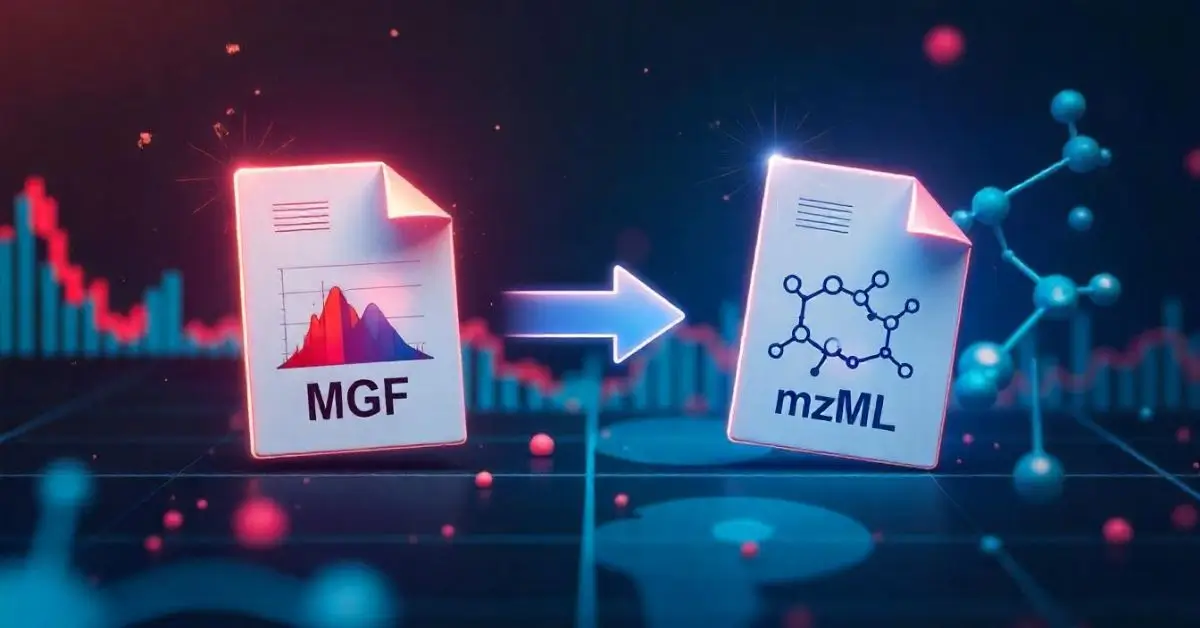
Mass spectrometry data plays a pivotal role in modern proteomics, and being able to convert MGF to mzML efficiently is a critical task for researchers and bioinformaticians. Whether you’re streamlining your data analysis pipeline or preparing files for compatibility with downstream tools, understanding how to perform this conversion correctly can save time, improve accuracy, and enhance workflow compatibility.
In this detailed guide, you’ll learn expert insights on how to convert MGF to mzML, the tools involved, comparisons between formats, and best practices to maintain data integrity. This comprehensive article ensures full technical clarity while remaining easy to follow for readers at all experience levels.
Understanding MGF and mzML File Formats
The MGF (Mascot Generic Format) is a widely used text-based format that stores MS/MS spectra. It is favored for its simplicity and compatibility with database search engines. However, it lacks some of the structured metadata that modern formats like mzML offer.
On the other hand, mzML is an XML-based, standardized format developed by HUPO-PSI. It supports rich metadata, is vendor-neutral, and provides enhanced interoperability with modern bioinformatics tools.
Why Convert MGF to mzML?
There are several reasons why one would want to convert MGF to mzML:
- Improved Compatibility: Many data analysis tools and pipelines, particularly in proteomics, require mzML.
- Rich Metadata Support: mzML supports instrument metadata, preprocessing steps, and annotations.
- Standardization: mzML is a HUPO-PSI standard, enabling long-term reproducibility.
Best Tools to Convert MGF to mzML
Numerous tools are available that allow researchers to convert MGF to mzML. Here’s an overview of the most trusted ones:
1. MSConvert
A core component of the ProteoWizard toolkit, MSConvert is a GUI and command-line tool widely used for format conversion.
Key Features:
- GUI and CLI support
- Batch conversion
- Vendor file support
- Built-in filters
2. OpenMS
OpenMS is an open-source software C++ library that offers a suite of tools for MS data analysis and conversion.
Advantages:
- Extensive support for data processing workflows
- Integration with KNIME
- Active developer community
3. GNPS Utility Tools
GNPS supports file format conversion as part of its preprocessing pipelines. Useful when working in cloud-based environments or collaborative research settings.
4. ThermoRawFileParser + MSConvert
This is an efficient combination where raw files are first converted to MGF using ThermoRawFileParser and then to mzML via MSConvert.
How to Convert MGF to mzML Using MSConvert
Follow these steps to convert your data using MSConvert:
- Install ProteoWizard
- Ensure MSConvert is selected during installation.
- Launch MSConvert
- Open the GUI or terminal depending on your preference.
- Load Your MGF File
- Select the file from your local directory.
- Choose Output Format as mzML
- Select mzML in the format dropdown.
- Apply Filters (Optional)
- Noise reduction, peak picking, etc.
- Convert
- Click on ‘Start’ or run the CLI command.
Example CLI:
msconvert input.mgf --mzML
Advantages of Using mzML Over MGF
Here’s why mzML is generally the preferred choice in modern workflows:
- Vendor-Neutral Format
- Better Metadata Retention
- More Compatible with Cloud Platforms
- Standardized for Long-Term Use
Comparison Table: MGF vs mzML Conversion Tools
| Feature | MSConvert | OpenMS | GNPS Tools | ThermoRawFileParser | PeakPicker (CLI) |
|---|---|---|---|---|---|
| Cost | Free | Free | Free | Free | Free |
| Efficiency | High | High | Moderate | High | Moderate |
| Ease of Use | Easy (GUI) | Intermediate | Web Interface | Intermediate | Complex (CLI) |
| Metadata Support | Extensive | Extensive | Moderate | Limited | Low |
| Batch Conversion | Yes | Yes | No | Yes | Yes |
Common Challenges in Converting MGF to mzML
Despite the availability of tools, researchers often face several challenges:
- Loss of Metadata: Improper conversions may strip important metadata.
- File Corruption: Large datasets can cause system crashes or corrupt outputs.
- Inconsistent Peaks: Some converters modify peaks slightly, affecting downstream analysis.
Tips for a Successful MGF to mzML Conversion
To maintain data quality and compatibility:
- Always validate output files using mzML validators.
- Compare spectra before and after conversion.
- Use filters only when necessary.
- Document your parameters and versions.
Industry Best Practices
According to recent workshops and forums in the bioinformatics community:
“The conversion from MGF to mzML must be treated as a crucial preprocessing step to preserve data fidelity and analysis accuracy.”
Professional labs often automate this process using pipelines that integrate MSConvert and OpenMS for reproducibility and efficiency.
Alternatives to MGF and mzML
Other formats like mzXML, mzData, or RAW also exist, but mzML has become the universal standard due to its flexibility, future-proofing, and community support.
Future of File Format Conversion in Mass Spectrometry
With increasing focus on reproducibility and cloud computing, the demand for universal, well-structured formats like mzML is only expected to grow. Automated tools powered by machine learning may soon further streamline the convert MGF to mzML process.
Use Case: Academic Research Lab
A molecular biology lab managing large-scale proteomics data reported a 30% reduction in preprocessing time after switching from MGF-based workflows to fully mzML-based pipelines using MSConvert and KNIME integration.
Conclusion:
Being able to convert MGF to mzML is not just a technical necessity—it’s an essential skill for modern proteomics researchers. This transformation allows for greater data integrity, tool compatibility, and long-term reproducibility. With free tools like MSConvert and OpenMS at your disposal, adopting mzML can significantly boost your research efficiency.
Always validate conversions, maintain documentation, and keep abreast with community standards to ensure your datasets are future-ready.
FAQ’s
What is the fastest tool to convert MGF to mzML?
MSConvert is generally considered the fastest and most reliable tool for converting MGF files to mzML format.
Is mzML better than MGF for long-term storage?
Yes, mzML is more standardized, vendor-neutral, and rich in metadata, making it better suited for archival purposes.
Can I batch convert multiple MGF files to mzML?
Yes, tools like MSConvert and OpenMS support batch processing, allowing you to convert multiple files at once.
Are there risks of data loss during conversion?
Yes, if not properly configured, converters can lose metadata or alter peak intensities. Always validate outputs.
Does mzML work with all proteomics analysis tools?
Most modern proteomics and bioinformatics tools support mzML due to its widespread adoption and standardization.
How do I verify a successful conversion?
Use mzML validation tools or re-import into analysis software to check for completeness, metadata retention, and peak integrity.

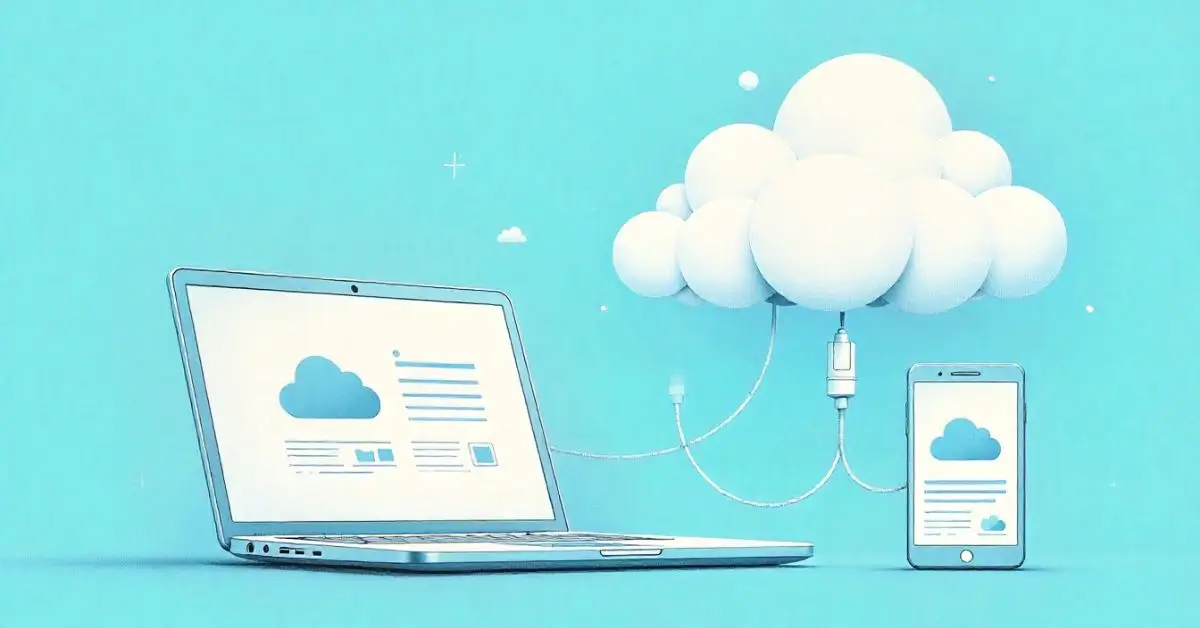
Many users today feel overwhelmed by complex cloud platforms, confusing pricing, or slow uploads. Nippydrive positions itself as a straightforward cloud drive for files, designed for people who just want things to work—quickly and securely.
What Is Nippydrive Used For?
Nippy drive is an online platform that allows users to store, upload, download, and share files through the cloud. It’s mainly used for:
- Keeping files accessible from anywhere
- Sharing documents or media with others
- Managing personal, academic, or work-related data
- Sending large files without email limits
Whether you’re a student saving assignments or a freelancer sending files to clients, nippy drive cloud storage focuses on simplicity.
How Does Nippydrive Work?
Nippy drive works like most online storage services but with fewer complications.
Basic Workflow
- Create an account on Nippy drive
- Upload files from your device
- Store files securely in the cloud
- Download or share files whenever needed
You don’t need advanced technical skills, which makes nippy drive online storage appealing to beginners.
Key Nippydrive Features
Here are some commonly highlighted nippy drive features users look for:
- Easy file upload and download
- Simple dashboard and file management
- Cloud-based access from different devices
- File-sharing options for links or downloads
- Basic security measures for stored data
These features make it a practical secure file storage service for everyday use.
How to Upload Files on Nippydrive
Uploading files is usually quick and user-friendly.
- Log in to your account
- Select the upload option
- Choose files from your device
- Wait for the upload to complete
Once uploaded, your files are stored safely and ready to download or share. This smooth process is why many users like nippy drive upload files functionality.
Can I Share Files Using Nippydrive?
Yes, nippy drive file sharing is one of its main use cases. Users can generate shareable links to send files to others. This is useful for:
- Group projects
- Client work
- Academic submissions
- Sharing large media files
File sharing eliminates the need for email attachments or physical storage devices.
Is Nippydrive Safe for File Storage?
Safety is a top concern for cloud users. Many people ask whether nippy drive security and privacy features are reliable.
While exact technical details may vary, Nippy drive generally focuses on:
- Secure file access
- Controlled sharing permissions
- Data protection during uploads and downloads
For casual users, this level of security is often sufficient, especially for non-sensitive files.
Nippydrive Free vs Paid Plans
When comparing nippy drive pricing, users usually want to know what they get for free and what requires payment.
- Free plans typically offer limited storage
- Paid plans may include higher storage limits and extra features
If you only need basic storage, the free version may work well. Heavy users often benefit from paid plans.
Nippydrive vs Other Cloud Storage Services
Nippydrive may be better for:
- Users who want quick setup
- Simple file uploads and downloads
- Minimal features without complexity
Other platforms may suit:
- Large teams
- Advanced collaboration tools
- Enterprise-level security
Your choice depends on how advanced your storage needs are.
Best Use Cases for Nippydrive
Nippy drive works best for:
- Students storing coursework
- Freelancers sharing project files
- Small businesses exchanging documents
- Individuals backing up personal files
FAQ`s
What is Nippydrive used for?
It is used for storing, uploading, downloading, and sharing files online through cloud storage.
How does Nippydrive work?
You upload files to your account, store them in the cloud, and access or share them anytime from supported devices.
Is Nippydrive safe for file storage?
It offers basic security features that are generally suitable for everyday file storage needs.
Can I share files using Nippydrive?
Yes, users can generate links to share files easily with others.
Are there Nippydrive alternatives?
Yes, there are many cloud storage platforms available, but it stands out for its simplicity and ease of use.
Final Thoughts
Overall, this article presents Nippy drive as a practical and easy-to-understand cloud storage solution for everyday users. It clearly explains what the platform does, how it works, and who it’s best suited for, without overloading readers with technical jargon. By focusing on real use cases, safety considerations, and simple comparisons, the content aligns well with user search intent and Google’s Helpful Content and E-E-A-T principles.
Author Bio
James Carter is an experienced SEO content writer specializing in technology and digital platforms. He holds an academic background in Information Technology and focuses on producing clear, user-centered content that aligns with Google’s Helpful Content and E-E-A-T guidelines.
In today’s fast-evolving tech space, LevenLabs has emerged as a game-changing platform in the realm of AI-powered audio generation. Designed to synthesize hyper-realistic voices and automate speech creation, LevenLabs is rapidly being adopted across industries—from gaming and film to marketing and accessibility.
What sets this tool apart is its unique ability to generate human-like voiceovers with emotional nuance, enabling creators to bring scripts, characters, or products to life like never before. This advancement has sparked a revolution in how audio content is conceptualized, created, and distributed globally.
The Technology Behind LevenLabs Voice AI
At its core, LevenLabs relies on deep learning and neural network architectures—specifically those tailored for voice synthesis and generative modeling. Unlike traditional text-to-speech systems, which often produce robotic outputs, this technology captures the intricacies of human voice including tone, pitch variation, accent, and even pauses for natural flow.
This AI voice generator uses text conditioning, speaker embeddings, and style transfer models, allowing users to control emotional inflection and speaking speed with great precision. The result is audio that feels crafted, not manufactured.
Key Features That Make LevenLabs Stand Out
LevenLabs is packed with powerful tools that simplify content creation while enhancing output quality. Here are some of its most popular features:
- Multilingual Support: Generate content in various global languages with authentic pronunciation.
- Emotion Control: Infuse voices with joy, sadness, anger, and more.
- Voice Cloning: Clone any voice with a small sample and apply it to your custom scripts.
- Audio Clean-Up: Enhance and filter audio to remove background noise and improve clarity.
- Real-Time Rendering: Produce voiceovers quickly for time-sensitive projects.
These tools enable creatives, educators, and developers to create dynamic auditory experiences at scale.
How LevenLabs Benefits Different Industries
LevenLabs isn’t confined to one sector. Its adaptability makes it valuable across multiple domains:
- Media & Entertainment: Game developers and animators use it to voice characters without needing live actors.
- Education: Teachers can create engaging voice lessons or translate content into multiple languages.
- Marketing: Brands generate personalized audio messages for ads and product launches.
- Accessibility: Organizations improve content accessibility for people with visual impairments.
- Customer Support: Businesses automate interactive voice responses (IVRs) that sound convincingly human.
The platform bridges gaps between automation and authenticity.
LevenLabs vs Other AI Voice Generators: A Comparison
To provide better insight into how LevenLabs stacks up against the competition, here’s a comparison table highlighting core features:
| Feature | LevenLabs | Platform A | Platform B | Platform C | Platform D |
|---|---|---|---|---|---|
| Voice Realism | ⭐⭐⭐⭐⭐ | ⭐⭐⭐ | ⭐⭐⭐⭐ | ⭐⭐ | ⭐⭐⭐ |
| Ease of Use | ⭐⭐⭐⭐ | ⭐⭐ | ⭐⭐⭐⭐ | ⭐⭐⭐ | ⭐⭐⭐ |
| Customization | ⭐⭐⭐⭐⭐ | ⭐⭐⭐ | ⭐⭐⭐ | ⭐ | ⭐⭐⭐⭐ |
| Pricing | Moderate | High | Moderate | Low | High |
| Language Support | 40+ Languages | 20+ Languages | 30+ Languages | 10+ Languages | 15+ Languages |
Note: Ratings are illustrative and based on feature availability, UX design, and user feedback trends.
Use Cases That Demonstrate Real-World Impact
Several case studies highlight the transformative effect of LevenLabs in diverse settings:
- E-learning Startups reported a 30% increase in student retention after implementing emotionally adaptive AI voice narration.
- Indie Game Developers saved over $10,000 per project by using LevenLabs for character voiceovers instead of hiring full voice acting teams.
- Digital Marketing Agencies improved ad engagement by 25% using multilingual, emotionally charged voice content.
These results underscore the platform’s versatility and cost-efficiency.
Ethical Considerations of Using AI Voice Tools
Despite its innovation, LevenLabs raises important ethical questions. With the ability to replicate voices nearly perfectly, there’s a need for transparency and consent in voice cloning. Misuse could lead to voice fraud or misinformation if left unchecked.
To mitigate such risks, industry standards are being developed. These include:
- Consent Verification: Ensuring original speakers agree to have their voice cloned.
- Watermarking: Inserting undetectable signals into AI-generated voices for traceability.
- Usage Auditing: Maintaining logs of who used what voice and for what purpose.
Industry experts stress that while AI tools like LevenLabs provide value, they must be governed responsibly.
Transitioning from Manual Voiceovers to AI
Traditional voiceover work involves scriptwriting, hiring actors, scheduling studio time, and post-production. With LevenLabs, the pipeline is streamlined:
- Upload or write a script.
- Select a voice or create a custom one.
- Adjust tone, pace, and emotion.
- Render the audio and integrate it instantly.
This automation results in quicker turnaround times, lower costs, and scalable workflows without sacrificing quality.
Custom Voice Creation and Cloning Explained
One of LevenLabs’ most sought-after capabilities is custom voice cloning. With just a 5–10 second voice sample, users can train the system to replicate the vocal signature. This is especially useful for:
- Podcasting: Maintain consistent narration even if the host is unavailable.
- YouTube Automation: Build video content channels without recording audio manually.
- Corporate Training: Deliver branded instructional content in a recognizable voice.
Cloning requires careful calibration, but the results are indistinguishable from real human recordings when done properly.
Integrating LevenLabs with Other Creative Tools
LevenLabs supports smooth integration with major creative platforms like video editors, animation software, and audio design suites. This makes it easier for users to embed AI voiceovers into their creative process without needing technical expertise.
It also supports API access, enabling developers to embed voice generation into mobile apps, games, and web platforms for dynamic and interactive user experiences.
The Future of AI Voice Technology
Voice AI is evolving rapidly, and LevenLabs is at the forefront. Experts predict:
- Real-time voice translation will become standard in international meetings.
- AI podcast hosts could run entire shows without human input.
- Immersive VR experiences will feature fully AI-generated dialogue with voice-adaptive NPCs.
As neural voice synthesis matures, it could even influence how humans perceive voice identity and authenticity in digital communication.
Conclusion:
In a world increasingly reliant on digital interaction and automation, LevenLabs stands out as a sophisticated solution to modern voice needs. Whether you’re a content creator, educator, developer, or entrepreneur, this platform offers the precision, realism, and versatility to transform how you approach audio.
With ethical safeguards in place and continual technological improvements, LevenLabs not only meets today’s creative demands—it’s actively shaping the future of voice generation.
FAQ’s
What makes LevenLabs different from traditional text-to-speech software?
LevenLabs offers emotional nuance, voice cloning, and high realism that standard TTS systems can’t match.
Can I use LevenLabs voices for commercial projects?
Yes, as long as you comply with ethical voice usage guidelines and the platform’s licensing terms.
How accurate is voice cloning on LevenLabs?
Voice cloning can replicate tone and delivery with up to 95% accuracy when trained on a high-quality voice sample.
Is LevenLabs suitable for non-English content creators?
Absolutely. It supports 40+ languages with native-style pronunciation and accent control.
What hardware or software is required to use LevenLabs?
Only a web-enabled device is needed. The platform is cloud-based and does not require any downloads.
Is there a limit on how many voices or scripts I can create?
Limits vary based on subscription level, but most plans allow for extensive customization and output generation.
Soap2Day was once a go-to platform for streaming movies and TV shows, but its legal status has been a hot topic. If you’re wondering, is Soap2Day banned?, the answer isn’t straightforward. This article dives deep into the platform’s current status, legality, risks, and safer alternatives—helping you make an informed decision.
The Rise and Fall of Soap2Day
Soap2Day gained popularity as a free streaming site, offering a vast library of movies and TV shows without requiring subscriptions. However, its legality was always questionable since it hosted copyrighted content without proper licensing. Authorities and copyright holders eventually cracked down, leading to its shutdown in 2023.
Despite its closure, mirror sites and copycats still operate, posing risks to users. Understanding why Soap2Day was banned and the dangers of using such platforms is crucial for safe streaming.
Is Soap2Day Banned Officially?
Yes, the original Soap2Day domain was banned and taken offline following legal actions. The site violated copyright laws by distributing pirated content, leading to its termination. However, several clone sites have emerged, falsely claiming to be Soap2Day. These mirrors often carry the same risks—malware, phishing scams, and legal consequences.
Why Was Soap2Day Shut Down?
Copyright Infringement – The site hosted movies and shows without permission from studios or distributors.
Legal Pressure – Industry coalitions and government agencies targeted Soap2Day for facilitating piracy.
Lack of Revenue Sharing – Unlike legitimate platforms, Soap2Day did not compensate content creators.
Using such sites now could expose you to legal trouble, as authorities actively monitor illegal streaming platforms.
Risks of Using Soap2Day or Its Alternatives
Even if you find a working Soap2Day mirror, the risks far outweigh the benefits:
Malware & Viruses – Unofficial streaming sites often contain malicious ads or downloads.
Data Theft – Hackers may steal personal information through phishing schemes.
Legal Consequences – Some countries impose fines or penalties for accessing pirated content.
Poor Streaming Quality – Unlike licensed platforms, these sites offer unreliable playback.
Comparison: Soap2Day vs. Legal Streaming Platforms
| Feature | Soap2Day (Unofficial) | Legal Platforms (Netflix, Hulu) |
|---|---|---|
| Cost | Free | Subscription-based |
| Content Quality | Low resolution, buffering | HD/4K, smooth streaming |
| Safety | High risk of malware | Secure, encrypted connections |
| Legal Status | Banned, illegal | Fully licensed and compliant |
| User Experience | Pop-up ads, redirects | Ad-free, user-friendly interfaces |
Safe and Legal Alternatives to Soap2Day
Instead of risking security and legality, consider these legitimate streaming services:
Netflix – Offers a vast library of movies, shows, and originals.
Hulu – Great for TV series and next-day network episodes.
Amazon Prime Video – Includes exclusive content and rentals.
Disney+ – The best choice for Disney, Marvel, and Star Wars fans.
Tubi – A free, ad-supported platform with licensed content.
These platforms ensure high-quality streaming while supporting creators legally.
How to Protect Yourself When Streaming Online
If you’re tempted to use sites like Soap2Day, follow these precautions:
Use a VPN – Helps mask your activity but doesn’t make piracy legal.
Install Antivirus Software – Protects against malware from shady sites.
Avoid Clicking Suspicious Ads – Many fake streaming sites contain phishing links.
Stick to Reputable Platforms – Prevents exposure to legal and security risks.
The Future of Free Streaming Sites
As enforcement against piracy tightens, more illegal streaming sites will likely face bans. While free access is appealing, the dangers of malware, data theft, and legal issues make legal alternatives the smarter choice.
Conclusion
Is Soap2Day banned? Yes, the original site is gone, but imitators remain. However, using them is risky and unethical. Legal streaming services provide better quality, security, and peace of mind. By choosing licensed platforms, you support content creators while enjoying a seamless viewing experience.
FAQs
Is Soap2Day completely shut down?
The original Soap2Day domain was shut down in 2023 due to legal actions. However, copycat sites still exist, though they carry significant risks.
Can I get in trouble for using Soap2Day?
Yes, accessing pirated content is illegal in many countries and could result in fines or legal notices from your ISP.
Are there any safe free streaming sites?
Tubi, Crackle, and Pluto TV offer free, legal streaming with ads. Avoid unauthorized sites to protect your data and device.
Why do Soap2Day mirrors still exist?
Scammers create fake sites to exploit users with malware or ads. These mirrors have no affiliation with the original (now defunct) Soap2Day.
Does a VPN make Soap2Day safe to use?
A VPN hides your activity but doesn’t legalize piracy. You still risk malware and poor streaming quality on illegal sites.
What’s the best alternative to Soap2Day?
Paid services like Netflix and Hulu are the safest, but free legal options like Tubi provide a good alternative without risks.

 Cartoon6 months ago
Unlocking the Potential of Nekopoi.care: A Comprehensive Guide
- Game2 years ago
Exploring Aopickleballthietke.com: Your Ultimate Pickleball Destination
- BUSINESS2 years ago
Unraveling the Mystery of 405 Howard Street San Francisco charge on Credit Card
- BUSINESS6 months ago
What Companies Are In The Consumer Services Field
- HOME IMPROVEMENT2 years ago
Vtrahe vs. Other Platforms: Which One Reigns Supreme?
- HEALTH2 years ago
Wegovy: Important Information and Prescription Instructions
- ENTERTAINMENT1 year ago
Understanding Bunkr Album: A Comprehensive Guide
- ENTERTAINMENT2 years ago
The Ultimate Guide to MP3Juices: Free Music Download